Create a rule to only import international orders
Overview
- Some customers choose to only use DHL Express Commerce to process international orders and process domestic orders outside of it.
- For example, if you only use DHL Express Commerce for DHL Express for international, you might not want to import your domestic orders.
- To do this, you will need to create a rule so that only international orders are imported.
Set up the rule
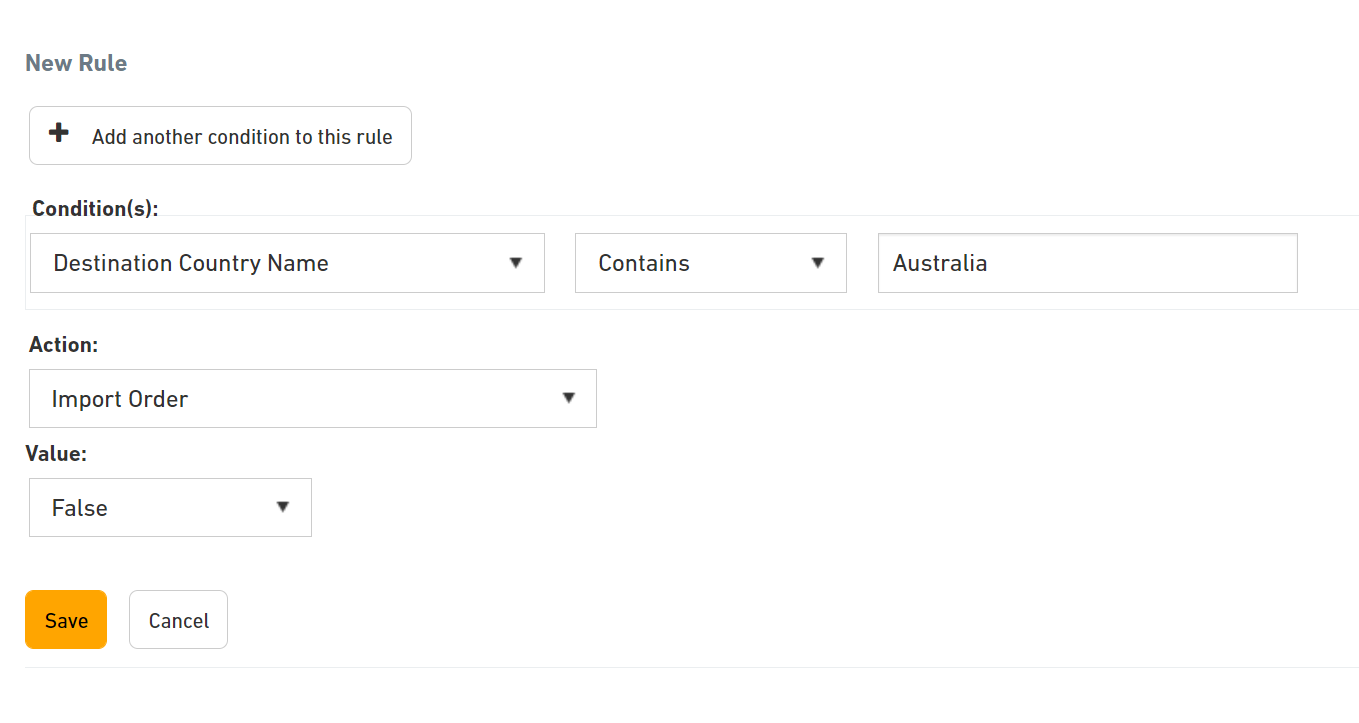
- In DHL Express Commerce, navigate to Settings > Rules > Add a new rule.
- Under Condition(s), select Destination Country Name.
- Enter your country of origin e.g. Australia.
- Under Action, select Import Order, and set the value to False.