Importing HS Code & Country of Manufacture WooCommerce
Overview
To import HS Code and Country of Manufacture from WooCommerce, you first need to create product attributes from your WooCommerce backend.
HS Code and Country Of Manufacture does not currently support variable products. We reccomend to use our Product Catalog feature.
1. Create new Product Attribute for HS Code
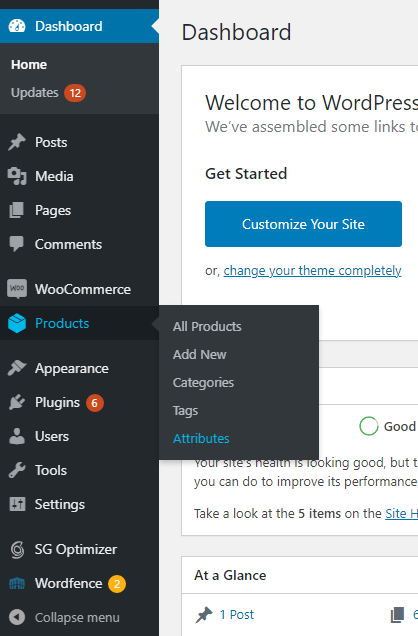
Go to Products, then select Attributes.
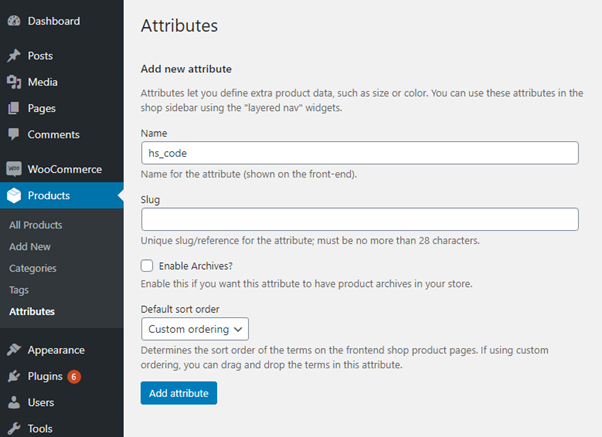
Fill in the Name field with "hs_code", then click Add attribute.
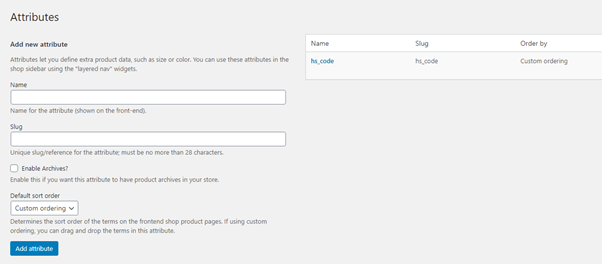
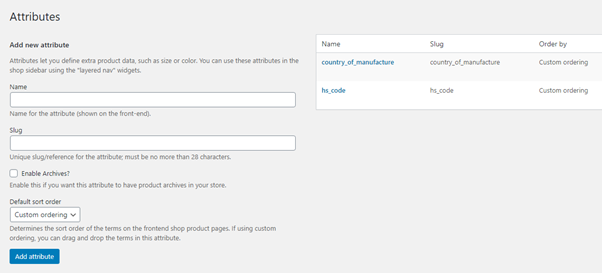
You will be redirected back to the Attributes page and "hs_code" should be available for editing. Click on "hs_code" from the grid.
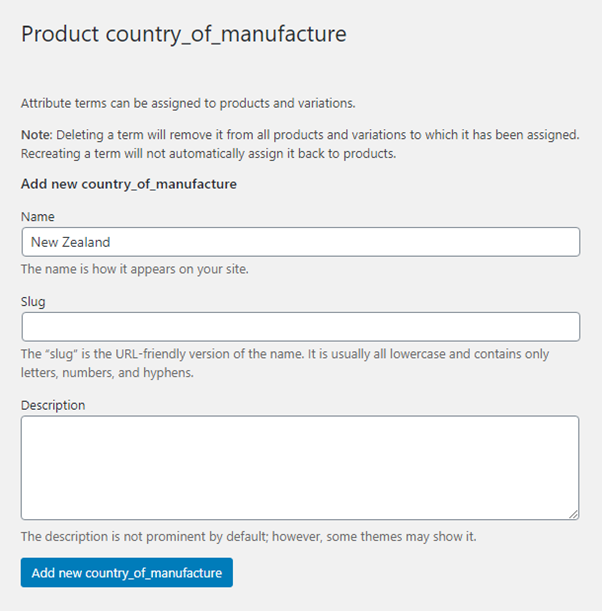
Fill in the Name field with your custom HS Code, then select Add new hs_code.
2. Assign HS Code Product Attribute to a Product
Go to Products, then select All Products.
Select a product that you would like to add the HS Code for.
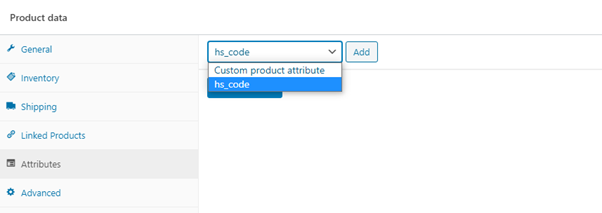
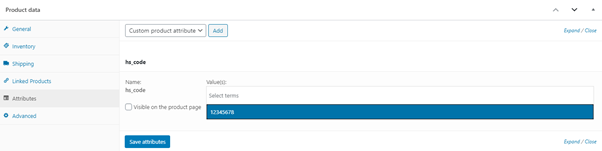
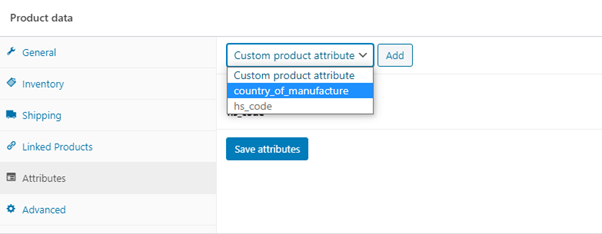
Under Product data section, select Attributes.
Select Custom product attribute dropdown list and set it to "hs_code" then click Add.
Click on Select terms and assign the "hs_code" value.
Untick 'Visible on the product page' then click on Save attributes.
3. Create new Product Attribute for Country of Manufacture/Country of Origin
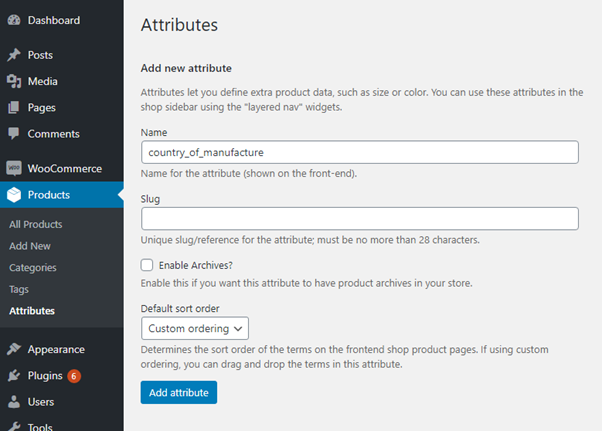
Go to Products, then select Attributes.
Fill in the Name field with "country_of_manufacture" or "country_of_origin", then click Add attribute.
You will be redirected back to the Attributes page and "country_of_manufacture" or "country_of_origin" should be available for editing. Click on "country_of_manufacture" or "country_of_origin" from the grid.
Fill in the Name field with your custom Country of Manufacture/Country of Origin, then select Add new country_of_manufacture or Add new country_of_origin.
4. Assign Country of Manufacture Product Attribute to a Product
Go to Products, then select All Products.
Select a product that you would like to add the Country of Manufacture for.
Under Product data section, select Attributes.
Select Custom product attribute dropdown list and set it to "country_of_manufacture" or "country_of_origin" then click Add.
Click on Select terms and assign the "country_of_manufacture" or the "country_of_origin" value.
Untick 'Visible on the product page' then click on Save attributes.